
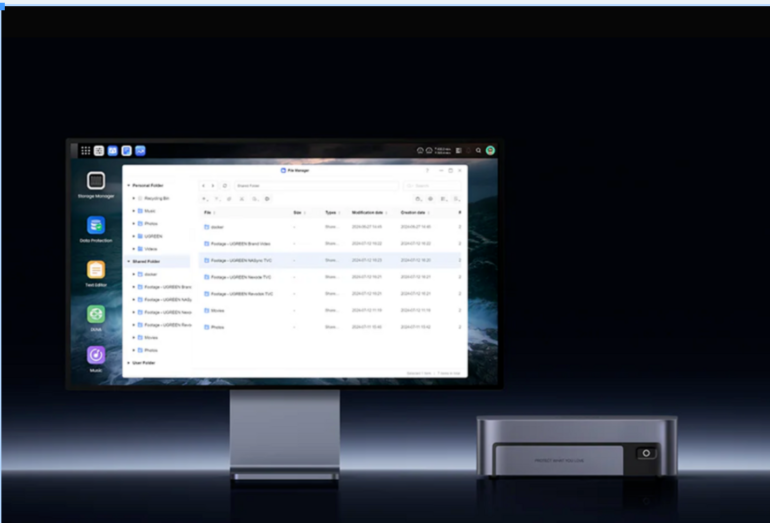
Choosing your first NAS can feel overwhelming, especially if you are new to home storage solutions. With many models, specifications, and features available, it is easy to feel unsure about where to start. However, for most home users, selecting the right NAS is simpler than it appears.
This guide explains how to choose your first NAS step by step, focusing on practical needs rather than technical jargon. It is written for beginners and UK home users who want a clear starting point. Examples such as UGREEN NASync are included to help illustrate common options available today.
What Is a NAS and Why Do Beginners Choose One?
A NAS, or Network Attached Storage, is a device that stores data and connects to your home network. Unlike an external hard drive, a NAS can be accessed by multiple devices at the same time, including laptops, smartphones, and tablets.
Many beginners choose a NAS to back up photos, videos, and documents in one central place. Modern platforms like UGREEN NASync are designed to make this process accessible, even for users with limited technical experience.
Before choosing a NAS, it is important to be clear about what you want it to do for you.
Step 1: Decide How You Will Use Your NAS
The first step in choosing your NAS is identifying your main use cases. Most home users fall into one or more of the following categories.
Some people want automatic backups for family photos and personal files. Others need shared storage for working from home, while some want a personal media library for films and music.
Your intended use determines how much storage, performance, and flexibility you actually need. For basic home backups and file sharing, an entry-level NAS is often sufficient. More demanding tasks such as large media libraries or multi-user access may require additional capacity.
Step 2: Choose the Right Number of Drive Bays
Drive bays determine how many hard drives a NAS can hold. This affects both total storage capacity and your options for protecting data if a drive fails.
A single-bay NAS is simple but offers no redundancy. Two-bay and multi-bay NAS systems allow data to be mirrored across drives, which helps reduce the risk of downtime caused by drive failure.
For most beginners, a two-bay NAS is a sensible starting point. It offers a balance between simplicity and basic data protection. Within the UGREEN NASync lineup, users can find options that provide this balance without unnecessary complexity.
Step 3: Think About Storage Capacity and Future Growth
When choosing your first NAS, it is important to think beyond your current storage needs. Photos and videos from modern smartphones can consume storage space faster than many users expect.
It is usually better to choose a NAS that allows you to add or upgrade drives later. Leaving spare capacity or expansion options helps avoid replacing the entire system as your data library grows.
Models such as the UGREEN NASync DXP480T Plus are designed with expansion in mind, making them suitable for users who expect their storage requirements to increase over time.
Step 4: Consider Ease of Use and Setup
For beginners, ease of use is one of the most important factors when choosing a NAS. A good first NAS should offer a clear setup process, a simple interface, and straightforward management tools.
Modern NAS platforms like UGREEN NASync focus on guided setup and user-friendly software. Features such as automatic backups, shared folders, and mobile access help reduce the learning curve.
If a NAS appears overly complex or requires advanced networking knowledge, it may not be the best choice for a first-time user.
Step 5: Noise, Power Use, and Placement at Home
In many UK homes and flats, space is limited. A NAS may be placed in a living room, hallway, or home office, so noise levels and power consumption matter.
Look for a NAS designed for quiet operation and low energy use. These features make the device more suitable for running continuously in a home environment.
Home-focused NAS systems, including UGREEN NASync models, are typically designed to operate quietly and efficiently throughout the day.
Step 6: Budget and Long-Term Value
A NAS is an investment rather than a short-term purchase. While cloud storage may appear cheaper at first, subscription fees can increase over time as storage needs grow.
When setting a budget, consider both the NAS device itself and the hard drives you plan to install. Paying slightly more for a reliable and expandable NAS can offer better long-term value.
Beginner-friendly models like the UGREEN NASync DXP480T Plus are often positioned to balance cost, performance, and ease of use.
Common Mistakes to Avoid When Choosing Your First NAS
One common mistake is buying more performance than you actually need. Many home users do not require advanced features designed for business environments.
Another mistake is underestimating future storage needs. Choosing a NAS with limited expansion options can lead to early replacement.
Finally, it is important to remember that RAID is not the same as a backup. A NAS improves storage management, but it should still be part of a broader backup strategy.
Final Thoughts: Choosing Your First NAS
Choosing your first NAS does not need to be complicated. By focusing on how you will use it, how much storage you need, and how easy it is to manage, you can find a solution that fits your home.
Platforms such as UGREEN NASync are designed to lower the barrier for beginners while still offering room to grow. Models like the UGREEN NASync DXP480T Plus provide a balance of simplicity and flexibility for first-time NAS users.
Understanding your own needs is the most important step. Once those are clear, selecting the right NAS becomes much easier.
Also read: